Unpaid and overview invoices
CloudCharge allows organizations to offer invoicing as a payment method for EV charging. Instead of charging users after every session, all charging activity is aggregated into a single invoice, typically on a monthly basis.
Users can charge as usual throughout the month without needing to pay after each session. All sessions are collected into a clear invoice that is available in the app.
When a new invoice is issued, users receive notifications both in the app and via email. Additional reminders are sent before and after the due date to ensure the invoice is paid on time.
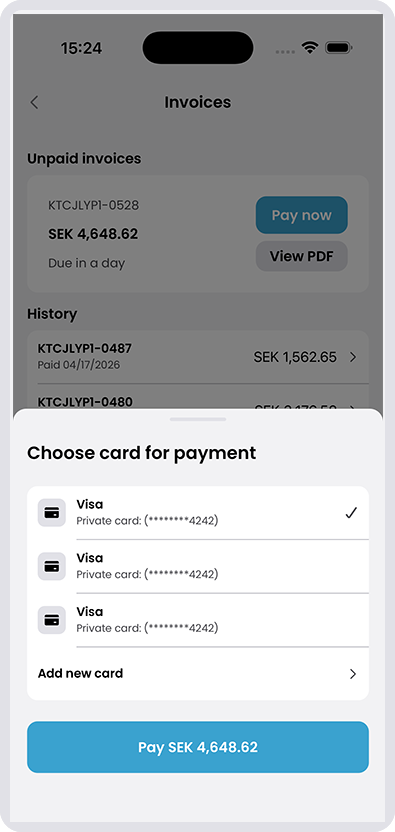
Payment is completed directly in the app using a saved card. The process is simple and transparent, with full visibility of sessions, costs, and due dates. If an invoice remains unpaid after the due date, the user will not be able to start new charging sessions until the outstanding balance is settled.
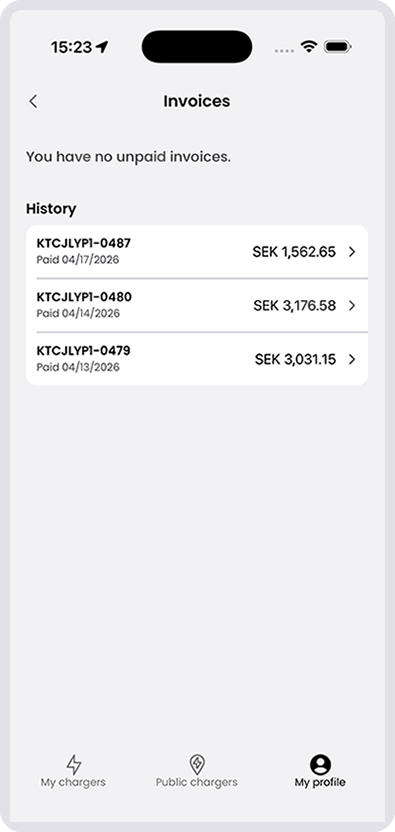
1. Go to your profile
Go to My Profile in the app and select Invoices.
Here you can see all paid and unpaid invoices.
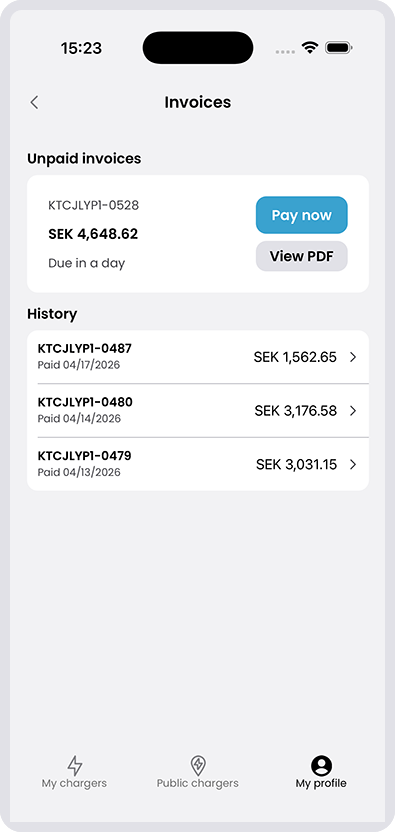
2. Click the invoice
Click the invoice you want to check or pay.
3. Choose payment card
Choose the payment card you want to use to pay the invoice.
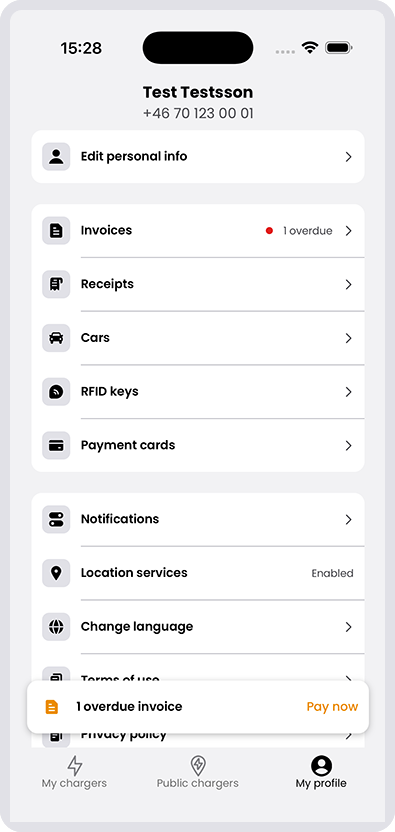
4. Overdue invoices
If you have overdue invoices, you will see the notification on your profile.
Click “Pay now” to pay the invoice.
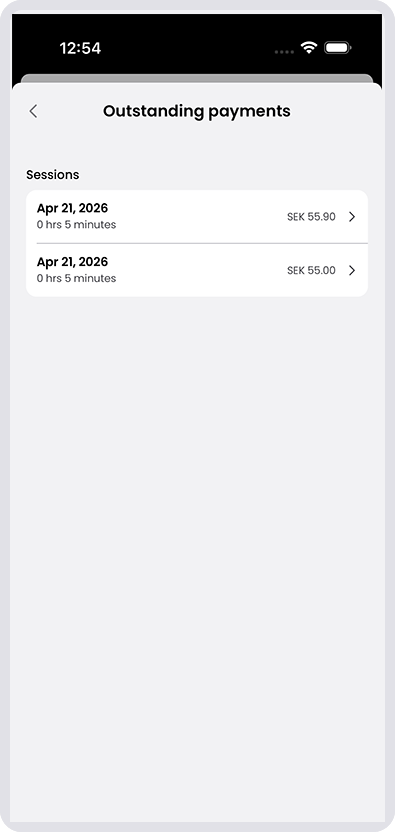
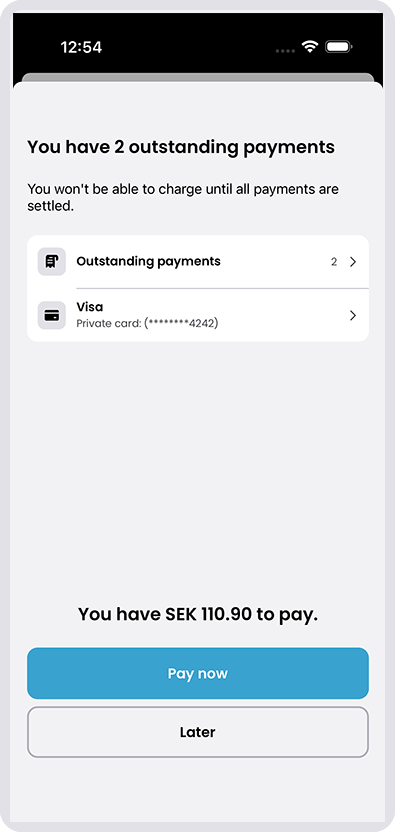
5. Outstanding payments
You are not able to charge until all outstanding payments are paid.
Click “Pay now” to pay the invoice. You can also pay later, but be aware that your charger will be locked until the invoice is paid.
6. Charging sessions under each invoice
By clicking the unpaid invoices, you see your charging sessions related to this invoice.